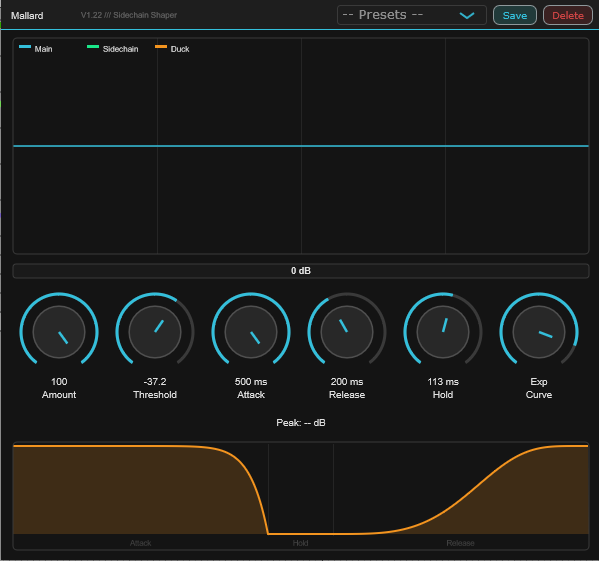
Mallard:
Sidechain Shaper
★★★★★
(84)
Sidechain Volume Ducker — VST3
Overview
Mallard is a precision sidechain volume ducker built for producers who want surgical control over how their main audio responds to a sidechain trigger — with real-time visual feedback at every stage.
Drop a kick drum, vocal, or any trigger source into the sidechain input. Mallard attenuates the main audio by exactly the amount you specify, for exactly as long as you need — with full control over the shape of every duck.
6Parameters
3Visual Displays
∞Presets
VST3Windows 64-bit
Signal Flow
Sidechain Input
Channels 3–4 receive the trigger signal — your kick drum, vocal, or any source. A fast peak follower (1ms attack, 3ms release) tracks the sidechain independently of your duck timing settings.
Threshold Detection
When the sidechain crosses the Threshold, ducking begins. The depth scales proportionally as the sidechain rises above the threshold — a built-in interpolation table maps level to duck depth for musical response.
Hold & Ramp
Once triggered, the peak duck depth is sustained for the full Hold duration before Release begins. The ramp is smoothed by Attack and Release coefficients — the Curve knob then shapes the ramp from logarithmic to exponential.
Gain Applied
Gain = 1 − (Amount × shaped ramp). At Amount 100% and full trigger, the main audio is silenced completely. The sidechain channels are zeroed at output — only the ducked main signal passes through.
Parameters
Amount — 0 to 100%
How deep the duck goes when fully triggered. 100% = silence. 50% = −6 dB of attenuation at full trigger. Controls the ceiling of the gain reduction curve.
Threshold — −60 to 0 dB
Sidechain level that starts the duck. Uses a piecewise taper: 0 to −45 dB over the first 75% of knob travel, then −45 to −60 dB over the remaining 25% — giving you precision where you need it most.
Attack — 0.1 to 500 ms
How fast the duck ramps in when the sidechain crosses the threshold. Short attack = instant duck. Long attack = gradual dip. Uses a 0.4 skew curve so the first half of knob travel covers 0.1–50ms — the most useful range.
Release — 1 to 2000 ms
How fast the gain returns to unity after the hold phase expires. Controls the recovery tail. Same 0.4 skew as Attack for comfortable usable range across the full knob.
Hold — 0 to 500 ms
How long the peak duck depth is sustained before release begins. While the sidechain is active, Hold keeps resetting — so the duck stays at full depth until the trigger actually stops. Release only begins once the sidechain has fully cleared.
Curve — −1 to +1
Shapes the gain ramp. −1 (Log): fast initial drop, gradual bottom — punchy, aggressive feel. 0 (Linear): straight ramp. +1 (Exp): slow start, steep finish — smooth fade-in duck. Displayed as Log / Log-ish / Linear / Exp-ish / Exp.
Visual Displays
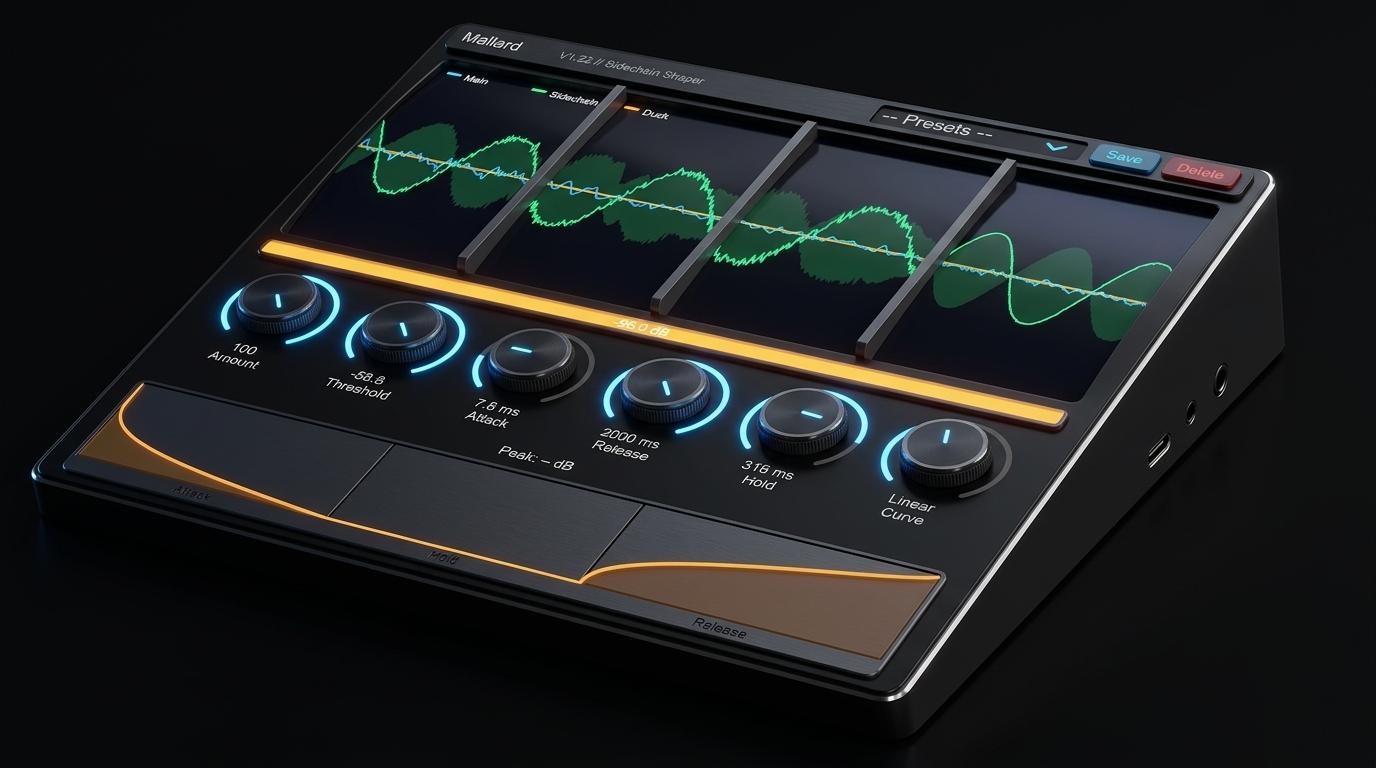
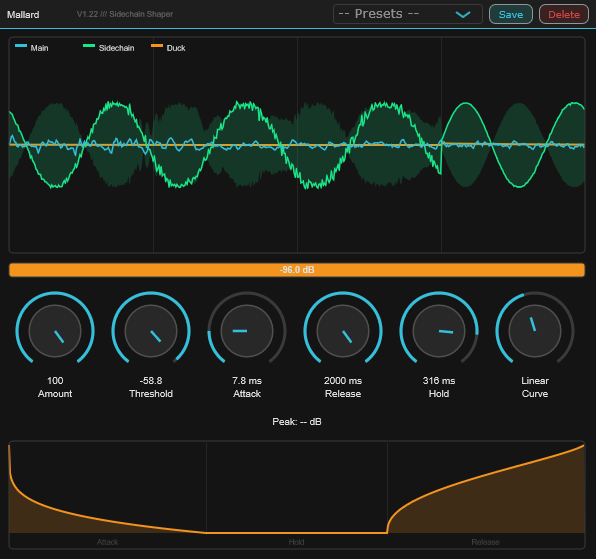
Oscilloscope showing Main (cyan), Sidechain (green), and Duck envelope (orange) simultaneously in real time.
Oscilloscope
Three-layer real-time display. Cyan: main audio post-gain — the waveform naturally shrinks when ducking is active. Green: sidechain amplitude — only appears when the trigger is present. Orange: duck envelope — only appears where actual gain reduction exceeds 3%.
GR Meter
Orange gain reduction strip showing current dB of attenuation across a −40 dB scale. Numerical readout centred in the strip. Updates at 30 Hz with a smoothed ballistic response.
Envelope Display
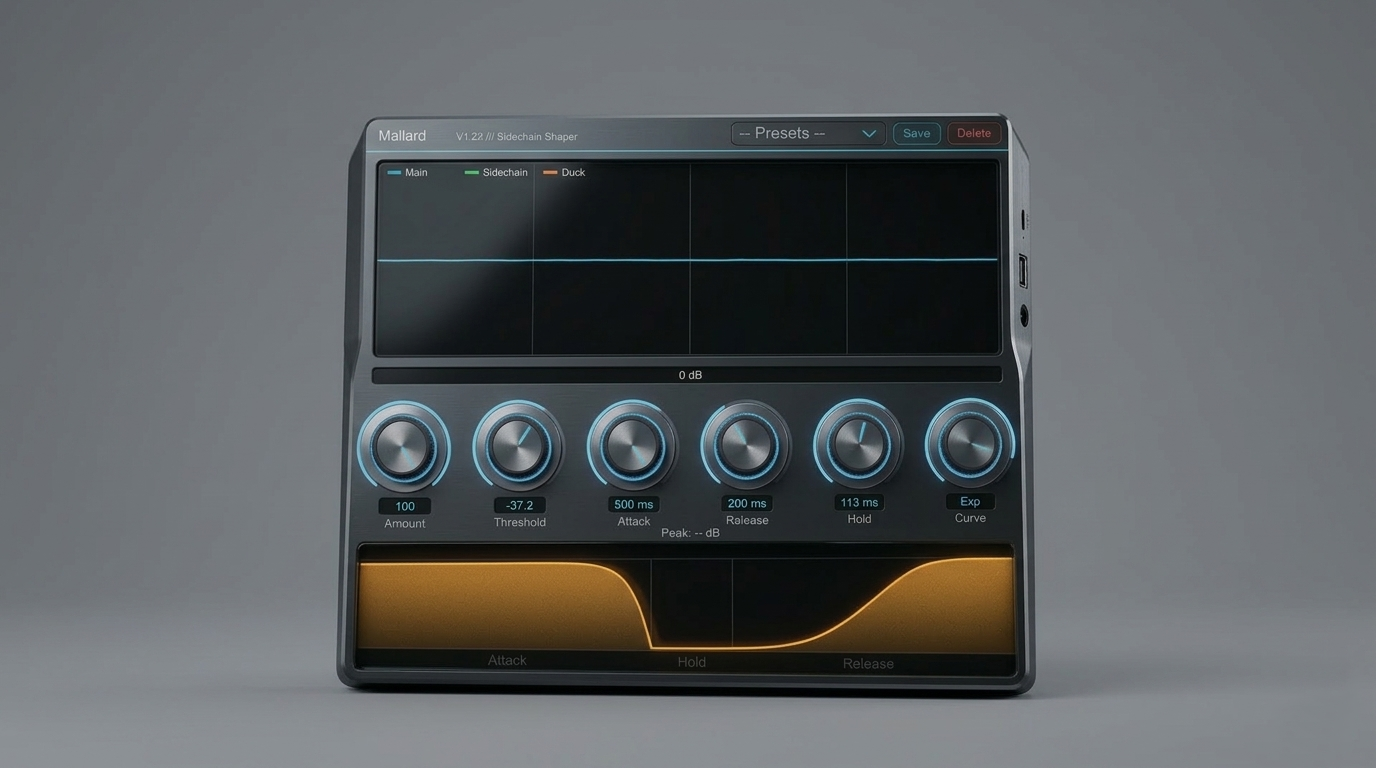
Simulated duck shape drawn from your current Attack, Hold, Release, Amount, and Curve settings — updates in real time as you turn knobs. Shows Attack / Hold / Release zones with divider lines and labels. The orange fill area and line reflect the exact shape the duck will take.
Preset System
Save & Load
Type a name and click Save to store the current parameter state as a .mallard file in your user app data folder. Load any saved preset from the dropdown — all six parameters recall instantly.
DAW State Save
Mallard saves and restores its full parameter state with your DAW project — no manual preset needed for session recall. Presets are for re-using settings across different projects.
01Dial in your duck settings using the six knobs
02Click Save, type a name, press OK or Enter
03Recall any preset from the dropdown at any time
04Delete presets with the Delete button — confirmation required
Sidechain Routing
Ableton Live
Load Mallard on your main track. On the sidechain/trigger track, set Audio To → your main track, Channel → "3/4". Or use VST3 sidechain input if your Ableton version supports it.
FL Studio
Insert Mallard as an effect. In the mixer, route your trigger track to the sidechain input channel of the track running Mallard. FL Studio's VST3 sidechain routing handles channels 3–4 automatically.
Reaper
Insert on main track. Add routing from the sidechain track via Track → Route → send to Mallard channels 3–4. Reaper's flexible routing makes this straightforward.
Other DAWs
Mallard uses 4-channel input: channels 1–2 are main audio, channels 3–4 are the sidechain trigger. Any VST3-compatible DAW with sidechain routing support will work.
Technical Specifications
| Feature | Specification |
|---|---|
| Format | VST3 |
| Platform | Windows 64-bit (Mac support planned) |
| Version | 1.22 |
| Channels | Stereo main (ch 1–2) + stereo sidechain (ch 3–4) |
| Amount | 0–100%, whole number steps |
| Threshold | −60 to 0 dB, piecewise taper (0→−45 over 75% travel, −45→−60 over 25%) |
| Attack | 0.1–500 ms, skew 0.4 |
| Release | 1–2000 ms, skew 0.4 |
| Hold | 0–500 ms, skew 0.4 |
| Curve | −1 to +1 (Log / Log-ish / Linear / Exp-ish / Exp) |
| Detector attack | 1 ms (fixed fast detector, independent of Attack knob) |
| Detector release | 3 ms (fixed fast, ensures Release knob fully controls recovery) |
| Sidechain trim | −6 dB internal (0 dBFS sidechain registers as −6 dBFS in detector) |
| Oscilloscope buffer | 2048 samples ring buffer, 512 display points, 30 Hz refresh |
| GR meter range | 0 to −40 dB |
| Preset format | .mallard XML files, stored in user app data folder |
| UI size | 600 × 560 px |
System Requirements
DAW
Any VST3-compatible DAW with sidechain routing support — Ableton Live 11+, FL Studio 20+, Reaper, Cubase, Studio One, and others.
OS
Windows 10 or 11 (64-bit). Mac support is planned for a future release.
Format
VST3 only. Single plugin — insert on any track with sidechain routing. No companion plugin required.
Setup
Insert Mallard on the track you want ducked. Route your trigger source (kick, vocal etc.) to sidechain input channels 3–4. No additional setup required.
Version
Current release: 1.0.1. Free updates for all future 1.x releases.
License Info
Personal & Commercial Use
Use Mallard in any personal or commercial project — music production, mixing, post-production, broadcast, and live performance.
Single User
One license per user. Install on up to 3 machines you personally own or operate.
Free Updates
All 1.x updates are free. Your serial activates the current version and all future updates in the 1.x release line.
No Redistribution
The plugin binaries may not be shared, resold, or redistributed. Each user must obtain their own free license.
Free
Sidechain Volume Ducker